

RGB Color Model
#RRGGBB[AA] or #RGB[A]
#RRGGBB[AA] is formed by color components from RR (red), GG (green), BBAA (alpha)

- The value from
RRGGBBAA00–99, AA–FF). - The value from
AA
In this example, the color code #FF0000 will be displayed in red. This is because the red component is set to its highest value (FF) and the other color component are set in the lowest value, which is 00.

To add transparency, add the value AA
More examples:
background-color:#FF0000;background-color:#F00;background-color:#FF000033;background-color:#F003;background-color:#00FF00;background-color:#0000FF;The #RGB[A] is a shorter version of the #RRGGBB[AA]. For eg, #F003 is the same color as #.FF000033
rgb() or rgba()
rgba() is formed by the color components from rgba
- The value from
r(red),g(green),b(blue) are formed by integer numbers (value falls between0-255). a(alpha) is optional (value falls between0.00 - 1.00).
In this example, the CSS code rgba(255,0,0) will displayed in red color, this is because the red component is set to its highest value (255) and the other color component are set to 0.

To add transparency, add in the value a (alpha) in the rear. The alpha value falls between 0.00 (fully transparent) to 1.00 (fully opaque).
More examples:
rgb():
background-color:rgb(255,0,0);rgba():
background-color: rgba(255,0,0,1);background-color: rgba(255,0,0,0.2);background-color: rgba(0,255,0,1);background-color: rgba(0,0,255,1);HSL Color Model
hsl() or hsla()
hsla() is formed by the color components from h (hue), s (saturation), l (lightness), and a (alpha)
- The value from h
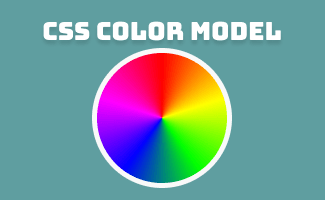
(is referring to the degree on the color wheelhue)-
0degor360degis red,120degis green,240degis blue - value falls between
0-360
-
- The value from s
(is referring to the percentage of the saturationsaturation)0%is completely unsaturated (gray) and100%is the full color- value falls between
0-100%
- The value from
l(lightness)0%is black,100%is white- value falls between
0-100%
- The value from
a(alpha)a(alpha) is optional0%is fully transparent,100%is fully opaque- value falls
0.00 - 1.00
In this example, hsla(360, 100%, 50%, 1) will displayed in red

More examples:
hsl():
background-color:hsl(360, 100%, 50%);hsla():
background-color:hsla(360, 100%, 50%, 1);background-color:hsla(360, 100%, 50%, 0.2);background-color:hsla(120, 100%, 50%, 1);background-color:hsla(240, 100%, 50%, 1);HWB Color Model
hwb()
hwb()h (hue), s (whitenessl (blackness), and a (alpha)*Optional
- Similar with
hsl()color model, The value from h(is referring to the degree on the color wheelhue)0degor360degis red,120degis green,240degis blue- value falls between
0-360
- The value from w
(is referring to the percentage of thewhiteness)whitenessb(blackness)- for eg:
0%of whiteness +100%of blackness to produce a black color. - value falls between
0-100%
- for eg:
- The value from
a(alpha)a(alpha) is optional0%is fully transparent,100%is fully opaque- value falls between
0-100%
For example,
hwb(360 0% 0%/ 20%)= red, opacity 20%hwb(0 0% 100%)= blackhwb(0 100% 0%)= white

background-color:hwb(360 0% 0% / 100%);background-color:hwb(360 0% 0% / 20%);background-color:hwb(120 0% 0%/ 1);background-color:hwb(240 0% 0%/ 100%);background-color:hwb(0 100% 0%);background-color:hwb(0 0% 100%);


 ui pencil
Leave a comment