
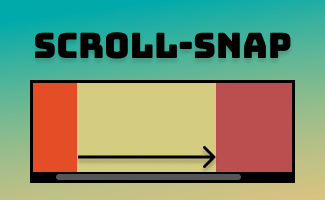
What is smooth scrolling
Smooth scrolling is a crucial factor in capturing and maintaining the interest of website visitors and enhancing the overall experience. By incorporating scroll-snap CSS into our website, we will be able to gain greater control over scrolling behavior, resulting in a more intuitive and improved smoothness and predictability of the navigation experience, particularly benefiting the touch-based devices.

Introducing scroll-snap CSS
In this tutorial, we’ll learn how to create a basic sliding carousel using HTML and CSS. The best part is, creating a basic snapping carousel only requires 2 simple steps. Let’s begin by setting up the HTML structure!
Step 1: Set up the HTML structure
First, Let’s create a parent scroll container <ul> , then add in 3 <li> elements as individual slides, for example:
<ul class="container">
   <li style="background: aqua;">Slide 1</li>
   <li style="background: aquamarine;">Slide 2</li>
   <li style="background: cadetblue;">Slide 3</li>
</ul>
Step 2: Define snapping behavior from CSS
Next, we now can add CSS styles to customize the appearance and behavior of the scroll container, for example:
.container{
    scroll-snap-type: y mandatory;
    overflow-y: scroll;
    overflow-x: hidden;
    width: 300px;
    height: 300px;
}
li{
    scroll-snap-align: start;
    width: 300px;
    height: 300px;
    line-height: 300px;
    text-align: center;
    list-style: none;
}
By setting up scroll-snap-type: y mandatory;, the content inside the scroll container .container will smoothly align and snap to predetermined positions as you scroll up or down vertically.
In this case, we will also utilize the scroll-snap-align: start; property to ensure that each item within the container aligns itself with the starting point of the scroll container.
Take a look at the result
Congratulations! You have already completed the basic sample of the scroll-snap tutorial. If you are interested to explore more available options for snapping behavior, you can refer to the next section for available options about scroll-snap-type values. Happy coding! 

To try out a full demo: click me
scroll-snap-type values
| values | description |
|---|---|
none | The scroll container will not snap to any snap points |
x | The scroll container only snaps to specific positions along x-axis |
y | The scroll container only snaps to specific positions along y-axis |
| The scroll container will always snaps precisely at the defined snap points, regardless of the user’s scrolling behavior |
proximity | The scroll container will align with a snap point on the screen if it is not actively being scrolled. This happens based on the scroll settings defined by the browser or device you’re using |
block | The scroll container only snaps to specific positions along its block-axis |
inline | The scroll container only snaps to specific positions along its inline-axis |
both | The scroll container snaps to specific positions in both of its axes independently (potentially snapping to different elements in each axis) |
Tips
- block-axis : main flow of content on a webpage (vertical direction, usually from top to bottom)
- inline-axis : secondary flow of content on a webpage (horizontal direction, typically from left to right)
By default, in most languages written from left to right (eg: English), the block-axis is from top to bottom, and the inline-axis is from left to right. However, in certain cases or for languages that are written from right to left (eg: Arabic or Hebrew), the block-axis can be from bottom to top and inline-axis is from right to left.
The direction of block-axis and inline-axis can be modified using CSS properties such as writing-mode, flex-direction, or block-progression
Browser compatibility
 | | | | |  | | | | | | |
|---|---|---|---|---|---|---|---|---|---|---|---|
| Chrome | Edge | Firefox | Safari | Opera | Chrome Android | WebView Android | iOS Safari | Firefox Android | Opera Android | Samsung Internet | |
scroll-snap-type | 69 | 79 | 99 | 11 | 56 | 69 | 69 | 11 | 68 | 48 | 10.0 |
scroll-snap-align | 69 | 79 | 68 | 11 | 56 | 69 | 69 | 11 | 68 | 48 | 10.0 |
source:
https://developer.mozilla.org/en-US/docs/Web/CSS/scroll-snap-align
https://developer.mozilla.org/en-US/docs/Web/CSS/scroll-snap-type#browser_compatibility 


 ui pencil
Leave a comment