
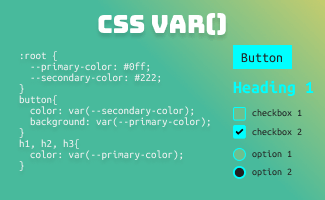
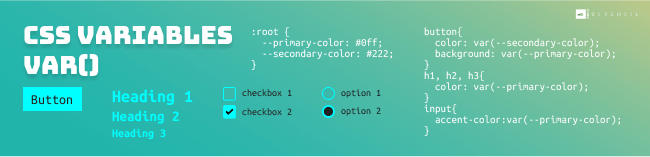
In the realm of web design and development, CSS variables — var() play an essential role in maintaining styling consistency, efficiency, and promoting reusability, especially within large and complex website.
In this article, we will introduce the usage and examples of CSS variables and delve into its power and potential. So, let’s get started!
Design System
Design systems have become fundamental in the modern landscape of web development. A well-established design system not only ensures a professional image of a website’s branding and identity, but it also plays a crucial role in achieving consistency, efficiency, and scalability in web development process. In this article, we will delve into the role of CSS variables in the design systems process and their usage. Let’s explore it in detail!
Design system is a collection of reusable components, governed by clear standards and rules. It ensures the consistency in both visual and functional aspects of web design and development.
CSS Variables
Syntax
To create a variable for global usage, declare inside the :root
/* Declare variable */
:root {
  --main-theme-color: #0ff;
}

/* Insert the variable */
h1, h2, h3{
  color: var(--main-theme-color);
}
Benefit: Sharing Design Tokens
CSS variables facilitate efficient sharing of design tokens in a design system. By defining variables for colors, typography, spacing, and other design attributes, developers can establish a shared library of design tokens across projects, for example:
:root {
  --color-primary: #0ff;
  --color-secondary: #222;
  --font-family: "Helvetica Neue",sans-serif;
  --gap-s: 8px;
  --gap-m: 12px;
}

/* Component styling using design tokens */
button {
  font-family: var(--font-family);
  color: var(--color-secondary);
  background: var(--color-primary);
  padding: var(--gap-s) var(--gap-m);
  border-radius: var(--gap-s);
}
Benefit: Efficient Maintenance
For example, when designing a website, we usually define a primary theme colour that reflects the branding of the corporate identity. This particular colour may be utilized in numerous instances throughout the whole website. In this scenario, controlling the value from the variable level makes it easier for us to manage and update the color in the future
:root {
  --main-theme-color: #0ff;
}
h1{
  font-size: 32px;
  background-color: var(--main-theme-color);
}
button{
  background-color: var(--main-theme-color);
  padding: 5px;
}
Benefit: Semantic identifiers – Improving Code Clarity
For example, --color-primary is easier to understand than #0ff, especially if this same color is also used in other contexts. By assigning meaningful name to a variable, we can easily understand the purpose and usage of each variable, making the code more readable and reducing the chances of errors in development process.
CSS Variables in Responsive Layout
When working with responsive design, it is standard practice to define breakpoints for different screen sizes and assign specific CSS rules accordingly.
CSS variables simplify this process by allowing easy adaptation and modification of breakpoint values. By using variables, we can make changes in one place, and the updates automatically apply to all relevant CSS rules. For example:
:root {
  --main-font-L: 28px;
  --main-font-M: 24px;
  --main-font-S: 16px;

  --breakpoint-screen-L: 1920px;
  --breakpoint-screen-M: 1024px;
  --breakpoint-screen-S: 768px;
}


@media screen and (max-width: var(--breakpoint-screen-L)) {
  .container, h3{
     font-size: var(--main-font-L);
  }
}

@media screen and (max-width: var(--breakpoint-screen-M)) {
  .container, h3{
     font-size: var(--main-font-M);
  }
}

@media screen and (max-width: var(--breakpoint-screen-S)) {
  .container, h3{
     font-size: var(--main-font-S);
  }
}
CSS Variable in JavaScript
// get variable
getComputedStyle(element).getPropertyValue('--my-var');

// set variable
element.style.setProperty('--my-var', '#ff0000');
CSS Limitation: Envisioning a Dynamic Future
While we have gained greater control over dynamic features in CSS, there remain limitations in certain scenarios. For instace, handling loops and conditionals like for loop, while loop, and if-else statements are required the usage of CSS preprocessors (SCSS, SASS, LESS). Let’s hope that CSS will evolve to encompass these functionalities in the near future and offering a more streamlined and structured environment. Happy Coding! 


 ui pencil
Leave a comment