


Launching a new webpage is an exciting step, but to truly make it visible to your audience on Google (the most well-known search engine in the world), you need Google to crawl and index it. In this guide, we’ll walk you through the straightforward process of asking Google to notice and index your fresh content, making your website efficiently visible in Google search listings.
The Crawling Process
Since there is no central registry for all web pages, Google must consistently seek out new and updated pages, incorporating them into its catalog of known pages, and listed them in the google search result. However, there are instances where Google might miss or take time to discover new web content. Therefore, to ensure your website stays visible, it is best to actively notify Google when you upload new content.
To actively notify Google about new content and expedite the crawling process, you can use Google Search Console. In this article, we will show you the step-by-step guide on how to do this! Let’s go!
Step 0. Setting Up – Google Search Console
Before delving into the details, the first step is to create a Google Search Console account and verify ownership of your website. If you already have a Google Search Console account, you may skip to Step 1. Insert your URL.
Click on “Start Now” to login

Once you have logged into your account, you can link your website domain to the Google Search Console tools. After clicking the continue button, it will take you through some verification processes, which are quite straightforward. Simply follow the instructions to set up the account.
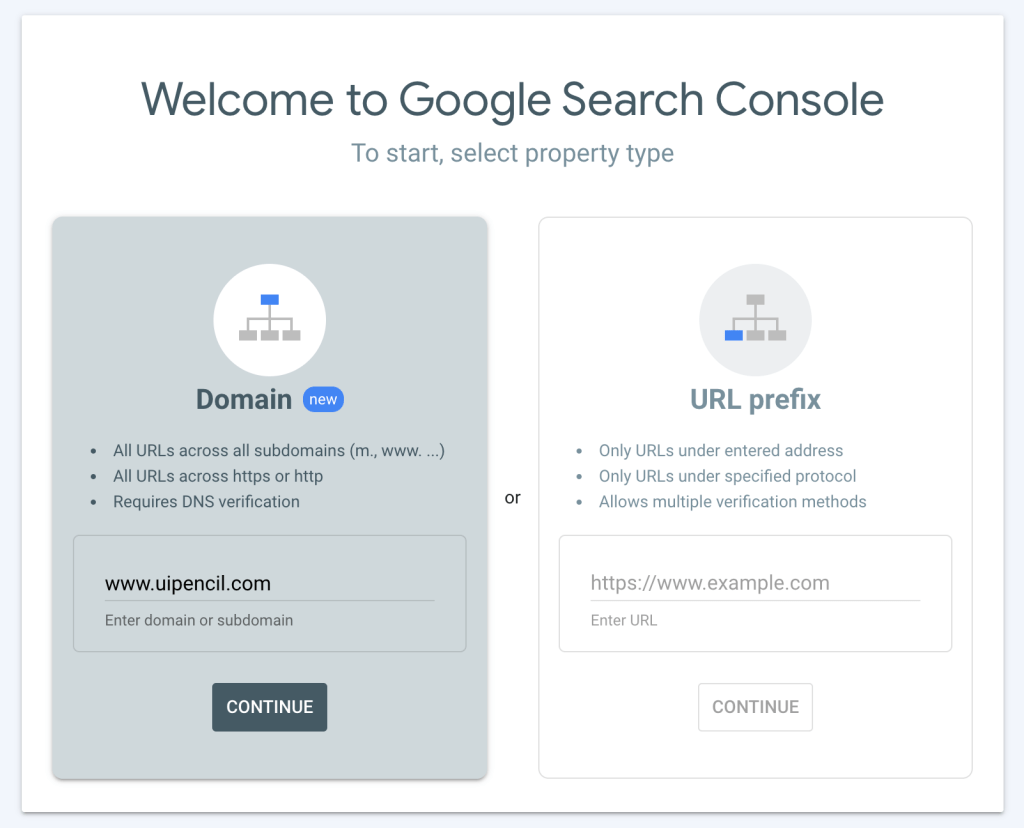
Today, we will focus solely on the most basic feature: making Google crawl your website. Therefore, we will skip the other features on the web and concentrate solely on the listing part.
Once your account has been set up and completed, you will see a dashboard in your Google Search Console. Let’s proceed to Step 1.
Step 1: Inset your URL
Insert the your new webpage URL that hasn’t been listed by Google

Step 2: Request Indexing
Once you input the URL, the page will display crawling information. If Google hasn’t crawled your URL, this page will appear. Instead of waiting for Google to crawl your website passively, you can take an active step by clicking the ‘Request Indexing’ button to prompt Google to crawl your new webpage immediately.
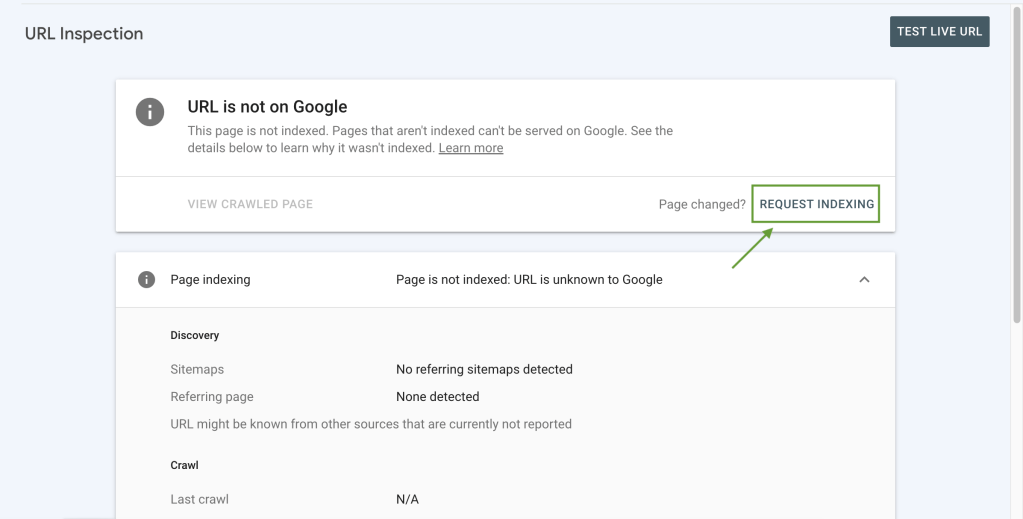
After clicking on the ‘Request Indexing’ button, a modal prompt will appear, and Google will test if the live URL can be indexed.

Once the checking is complete, you will see this message indicating that the URL has been added to a priority crawl queue.
At this point, everything is done; all that’s left is to wait a few days for Google to crawl and index your page!

After a few hours/ few days, once your website has been successfully indexed, if you repeat Step 1 and search for the URL again, you will see all statuses turned green.

At this point, congratulation! your new webpage has been successfully listed! Happy Coding!
Note: Alternatively, if you have a long list for Google to crawl and don’t wish to submit them one by one, you can submit them through sitemap in XML format. To understand more details on how to submit an XML sitemap, you may visit to the google official guide: https://developers.google.com/search/docs/crawling-indexing/sitemaps/build-sitemap
Happy coding again! 


 ui pencil
Leave a comment