
homepage backup2
homepage backup2
Trending in UI Pencil:
-
 3–5 minutes
CSS Grid Alignment: Everything You Need to Know
-
 6–9 minutes
CSS Grid: A Step-by-Step Guide with Examples
-
 4–5 minutes
CSS Unit Measurement: Your Ultimate Guide with Examples
-
 5–7 minutes
CSS Flexbox Tutorial – Unleash the Power of Flexibility
-
 2–3 minutes
How to Create a Meter Scale from Pure HTML – HTML Meter Tag
-
 2–3 minutes
How to Create a Progress Bar from Pure HTML – HTML Progress Tag
-

How to Customize Light / Dark Theme With CSS Media Query- Introducing prefers-color-scheme
The prefers-color-scheme CSS media query is a query that enables developers to determine if the user has requested a light or dark color theme. In addition to customizing Light/Dark mode in CSS, there may be instances where images need to be altered at the HTML level to match the background. For example, a dark color…
-

Master Consistent Styles with CSS currentColor: 3 Powerful Use Cases
Struggling to maintain consistent colour schemes in your CSS? Discover how currentColor eliminates repetitive definitions and simplifies your code. Learn how to leverage it for borders, text, backgrounds, and more! We’ll explore 3 powerful use cases in this article.
-

Make Your Website Accessible with WCAG (HTML & CSS examples)
Supercharge your website’s accessibility with WCAG! Our guide provides easy-to-follow HTML and CSS code examples to ensure everyone can experience your content. Boost SEO, improve user experience, and comply with regulations – all with WCAG!
-

2024 Guide to CSS nth-child: Target Any Element Like a Ninja! (Examples Included)
The :nth-child() CSS pseudo-class allow us to select elements based on their position, precisely targeting specific elements within a document tree. Let’s dive into nth-child CSS and explore the examples!
-

2024 Guide to CSS Nesting: No More Preprocessors & Modern CSS Only!
For decades, developers could only rely on CSS preprocessors like SASS, SCSS, or LESS for more structured and understandable code. However, since December 2023, most of the modern browsers are now support built-in CSS nesting capabilities.
-

Stop Waiting! Get Your Website Listed on Google TODAY (Quick & Easy)
Launching a new webpage is an exciting step, but to truly make it visible to your audience on Google (the most well-known search engine in the world), you need Google to crawl and index it. In this guide, we’ll walk you through the straightforward process of asking Google to notice and index your fresh content,…
-

The Essential HTML Time Tag Guide (Quick and Easy)
The tag helps define a particular time period on a webpage in a clear and semantic way. It offer a clear and structured representation to the content inside it, making it easy for both web browsers and assistive technologies to understand and interpret.
-
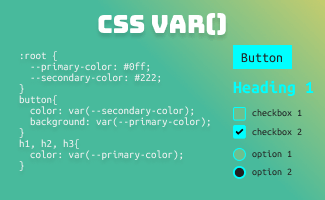
Guide to CSS Variables: Everything You Need to Know
In today’s world, design systems have become fundamental in the modern landscape of web development. A well-established design system not only ensures a professional image of a website’s branding and identity, but it also plays a crucial role in achieving consistency, efficiency, and scalability in web development process. In this article, we will delve into…
-
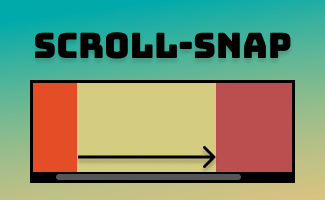
CSS scroll-snap: Enhancing User Experience with Smooth Scrolling
scroll-snap CSS offers precise control over scr oll behavior and defined snap points, leading to effortless content navigation and a user-friendly browsing experience. In this article, Let’s delve into the fundamentals of scroll-snap CSS and example to showcase its potential.
-

How to Build a Mini Maze Game Using HTML, CSS, and JavaScript
Are you looking to add some interactivity to your website? A mini maze game could be just the thing! In this tutorial, we’ll show you how to create a simple maze game using HTML, CSS, and JavaScript. You’ll learn how to use arrays to represent the maze, add movement controls for the player, and detect…
-

How to Create an Interactive Minigame with CSS
The arcade-style game is a beloved favorite among players of all ages. In this tutorial, we’ll show you how to create your own Catch-A-Yoda minigame using HTML + CSS only. With a little bit of code and some creative design, you’ll be on your way to crafting a fun and addictive game that users will…
-

CSS Shadow Art: How to Craft a Pixelated Masterpiece
Learn how to create pixel art using CSS box shadows in this tutorial. Explore different techniques for creating various pixelated designs and animations. With a little creativity, the possibilities are endless when it comes to combining CSS box shadows to create pixel art.
-

Creating an Accordion with Pure HTML – No Javascript
Traditionally, creating an accordion required JavaScript because it involved dynamically manipulating the DOM to show or hide the content associated with each accordion header when the user clicked on it. But now, thanks to the HTML and elements, you can create an accordion without relying on JavaScript, this also leads to simpler and optimized code,…
-

Mastering CSS Counters: Auto-Increasing Numbers Without Using a List
With CSS counters, you can display dynamic, incremental values for anything you want, without being limited to using HTML lists ( or ). This means that you can create dynamic and customized content that is both visually appealing and functional. Unlike traditional lists, which can only be added at the beginning of content, CSS counters…
-
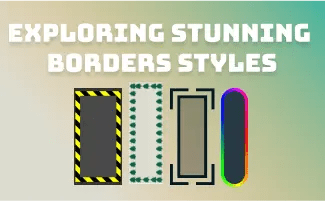
CSS: Exploring Stunning Borders Styles for your Web Design
When it comes to web design, small details can make a big impact. Borders are a simple design element that can elevate the look of your website, adding depth and visual interest. With CSS, the possibilities for border styles are virtually endless. In this post, let’s explore some of the most stunning border styles that…
-

4 Ways to Add Gradient Borders with CSS (With Examples)
Borders are a great way to add visual interest and structure to your website design. While solid borders are the most common, you can also create borders that have a gradient effect using CSS. In this article, we’ll walk through several different ways to create gradient borders using CSS, including examples you can use in…
-

Selector Stats in Edge: A Tool to Identify and Optimize Slow CSS Selectors
Microsoft Edge provides a tool called Selector Stats that can help identify slow selectors and optimize them for better performance. In this article, we’ll explore how to use Selector Stats to improve website performance
Search:
Topics:
-
CSS Grid Alignment: Everything You Need to Know
In this article, you will be taken through a detailed explanation and exploration of the topic how does grid alignments works, and how they can be applied in various settings. So, whether you’re a beginner or have prior experience, you’re sure to find the information provided useful. Let’s delve deeper into the fascinating world of…
-
CSS Grid: A Step-by-Step Guide with Examples
The CSS Grid Layout is an effective method of creating a two-dimensional grid-based layout. It is constructed using rows and columns that work together to form the final layout. In this article, we will be diving deeper into the process of setting up and using the CSS Grid Layout to create dynamic and responsive layouts.
-
CSS Unit Measurement: Your Ultimate Guide with Examples
In the CSS world, plenty of CSS properties like font-size, line-height, width, height, padding, margin, etc are declared in a number followed by a base unit, for example, 14px, 15em, 16pt…Generally, the units measurement can divide into 2 different types, which are absolute types: pixels (px), points (pt), picas (pc), centimeters (cm), millimeters (mm), inches…
-
CSS Flexbox Tutorial – Unleash the Power of Flexibility
This CSS flexbox tutorial covers everything you need to know to master responsive and dynamic layouts. Learn basic concepts, advanced techniques, and best practices with real-world examples and practical tips. Create stunning layouts that adapt to any screen size or device.
-
How to Create a Meter Scale from Pure HTML – HTML Meter Tag
The meter element is designed to demonstrate the scalar measurement within a known range or a fractional value. This is also known as gauge. Typical examples would normally be like: Hard-disk usage, CPU memory usage, battery life, fuel gauge, etc..
 ui pencil