
homepage backup2
homepage backup2
Trending in UI Pencil:
-
 3–5 minutes
CSS Grid Alignment: Everything You Need to Know
-
 6–9 minutes
CSS Grid: A Step-by-Step Guide with Examples
-
 4–5 minutes
CSS Unit Measurement: Your Ultimate Guide with Examples
-
 5–7 minutes
CSS Flexbox Tutorial – Unleash the Power of Flexibility
-
 2–3 minutes
How to Create a Meter Scale from Pure HTML – HTML Meter Tag
-
 2–3 minutes
How to Create a Progress Bar from Pure HTML – HTML Progress Tag
-

How to Customize Light / Dark Theme With CSS Media Query- Introducing prefers-color-scheme
The prefers-color-scheme CSS media query is a query that enables developers to determine if the user has requested a light or dark color theme. In addition to customizing Light/Dark mode in CSS, there may be instances where images need to be altered at the HTML level to match the background. For example, a dark color…
-

CSS Clipping & Masking: A Comprehensive Tutorial with Examples
The CSS mask-image and SVG is to create a masking layer to control the transparency of an element. The transparency is determined by either alpha or luminance, depending on the masking mode/type. The clip-path is a CSS property to create a vector clipping region that selects which part of an element should be showing. The…
-
CSS Contain : Boost Your Web Performance
CSS Containment allows developers to isolate a targeted subtree of the page from the rest of the page. By working on the isolation, browser engines are able to identify which particular subtree has been targeted, and use the information to avoid doing extra work outside the subtree.
-
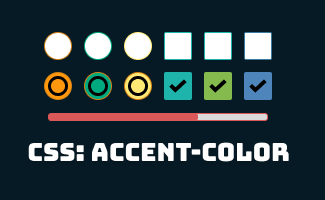
Simplifying Form Styling with CSS accent-color
The CSS accent-color is a CSS property that sets the accent color used by some user agent controls, such as checkboxes and radio buttons. The accent color is used to highlight important interactive elements, such as the selected item in a list, when the user interacts with them. The accent-color property accepts a color value…
-
Ignoring User Input Events From Pure HTML: Introducing the Inert Attribute
HTML inert is an attribute to inform the browser to ignore user input events for the element, including user events like focus, hover, click, and events from assistive technologies. Besides that, the browser may also ignore page search and text selection within the element.
-
How to Customize Light / Dark Theme With CSS Media Query- Introducing prefers-color-scheme
The prefers-color-scheme CSS media query is a query that enables developers to determine if the user has requested a light or dark color theme. In addition to customizing Light/Dark mode in CSS, there may be instances where images need to be altered at the HTML level to match the background. For example, a dark color…
-
Maximizing Image Customization with HTML Picture Tag
the HTML picture tag allowed developers to have the flexibility to specify dedicated image resources in different scenarios, it provides a solution for responsive images in web design. It allows developers to specify different sources for an image, depending on the screen size and other factors, such as screen density and viewport size.
-

AVIF vs WebP: Understand Image Optimization in 3 mins
In this article, we will be comparing AVIF and WebP to see how they stack up against each other and against older image formats. We will dive into the pros and cons, use cases, and browsers compatibility to give you a complete understanding of what these modern image formats have to offer for the web.
-

How @layer CSS helps resolve cascade conflict
The CSS @layer rule allows developers to control the position and stacking order of elements within a web page. The key difference is that with @layer, you can group elements into different layers, or stacks, and control the stacking order of elements within each layer. This opens up new possibilities for creating visually appealing and…
-

SVG vs PNG: Understand All in 5 Minutes
In this article, we will explore the strengths, weaknesses, and use cases for svg and png to give you a comprehensive understanding of both image formats. This comparison will provide valuable insights for choosing the right format for your next project.
-

Must Know Tips to Improve CSS performance
1. Avoid @import CSS What is CSS @import ? CSS @import is the process of importing one or multiple different CSS file into existing CSS file CSS @import load CSS files sequentially instead of in parallel, your browser need to process every single CSS file before it can start rendering content on your page and causing performance slowness 2. Remove redundant rules…
Search:
Topics:
-
CSS Grid Alignment: Everything You Need to Know
In this article, you will be taken through a detailed explanation and exploration of the topic how does grid alignments works, and how they can be applied in various settings. So, whether you’re a beginner or have prior experience, you’re sure to find the information provided useful. Let’s delve deeper into the fascinating world of…
-
CSS Grid: A Step-by-Step Guide with Examples
The CSS Grid Layout is an effective method of creating a two-dimensional grid-based layout. It is constructed using rows and columns that work together to form the final layout. In this article, we will be diving deeper into the process of setting up and using the CSS Grid Layout to create dynamic and responsive layouts.
-
CSS Unit Measurement: Your Ultimate Guide with Examples
In the CSS world, plenty of CSS properties like font-size, line-height, width, height, padding, margin, etc are declared in a number followed by a base unit, for example, 14px, 15em, 16pt…Generally, the units measurement can divide into 2 different types, which are absolute types: pixels (px), points (pt), picas (pc), centimeters (cm), millimeters (mm), inches…
-
CSS Flexbox Tutorial – Unleash the Power of Flexibility
This CSS flexbox tutorial covers everything you need to know to master responsive and dynamic layouts. Learn basic concepts, advanced techniques, and best practices with real-world examples and practical tips. Create stunning layouts that adapt to any screen size or device.
-
How to Create a Meter Scale from Pure HTML – HTML Meter Tag
The meter element is designed to demonstrate the scalar measurement within a known range or a fractional value. This is also known as gauge. Typical examples would normally be like: Hard-disk usage, CPU memory usage, battery life, fuel gauge, etc..
 ui pencil